RadiusCore Repeatedly Disappears from the Excel Ribbon
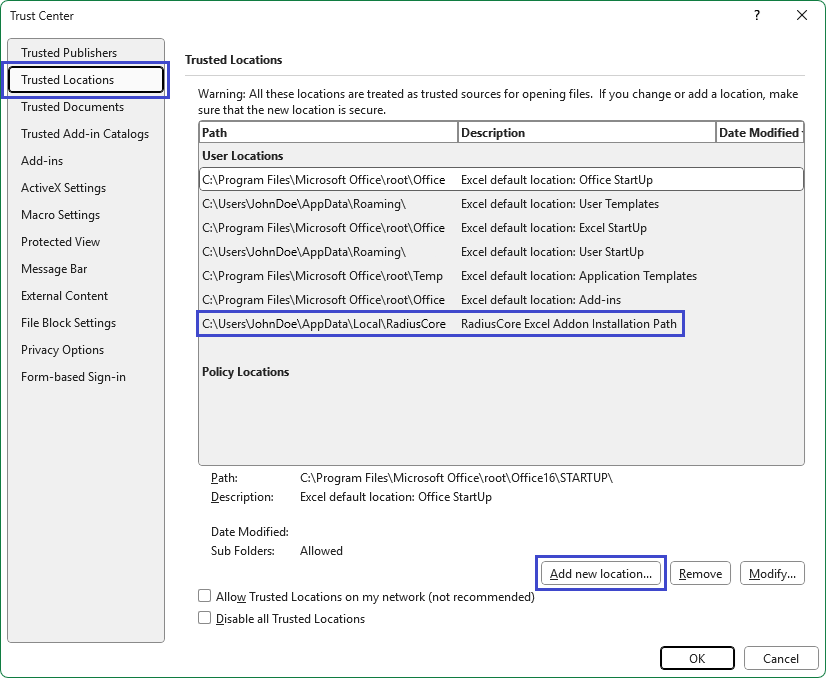
Sometimes RadiusCore will disappear from the Excel ribbon each time you close & open Excel. One possible reason for this is that the RadiusCore install folder was not correctly registered as a Trusted Location. To verify it is correctly registered, and manually register it if required, see the steps below.
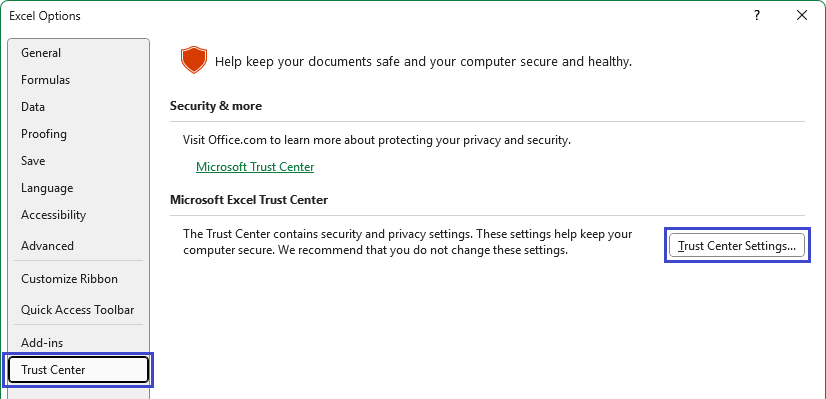
- In Microsoft Excel, select File ➔ Options ➔ Trust Center ➔ Trust Center Settings.
- Select Trusted Locations, then check the list to see if
C:\Users\%USERNAME%\AppData\Local\RadiusCoreis in the trusted locations list. If it is not, add the folder using the Add new location option.